Norton Renewal Price in 2026: How to Avoid the Jump
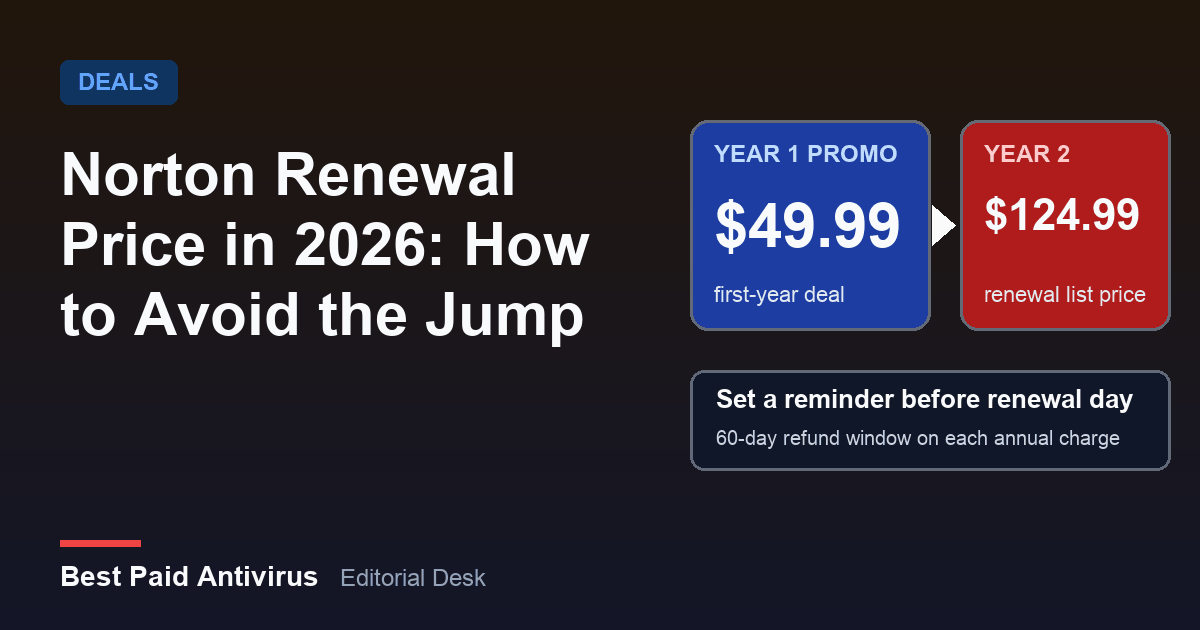
Norton renews at the regular price on its renewal price list, not at the discount you paid in year one. For Norton 360 Deluxe (5 devices, 50 GB backup) that list price is $124.99 a year, and for Norton AntiVirus Plus it is $59.99. The "price jump" people complain about is the gap between a first-year promotion and that list price. It is not a hidden fee, but it is easy to miss, and you can plan around it: know the renewal price before you buy, set a reminder before the charge, and cancel auto-renew in your account if you do not want the plan another year.
The timing matters. Early Black Friday sales are already running: Cybernews reported on October 23 that Norton's early Black Friday deal was live with 60% off, and Black Friday itself falls on November 27 this year. A deep first-year discount can look like a bargain until the second invoice arrives. Here is what Norton publishes, what a renewal really costs over three years, and exactly how to stop or reduce a renewal.
What Norton actually charges at renewal
Norton publishes a renewal price list on its US pricing page, labelled "Subscription Renewal Price List: Effective March 2026". These are the annual renewal prices for the plans most US households buy, next to the first-year list prices shown on the same page when it was read on October 25, 2026:
| Plan | Devices / backup | First-year list price | Annual renewal price |
|---|---|---|---|
| Norton AntiVirus Plus | 1 device, 2 GB | $59.99 | $59.99 |
| Norton 360 Deluxe | 5 devices, 50 GB | $119.99 | $124.99 |
| Norton 360 with LifeLock Select | 5 devices, 100 GB | not shown | $159.99 |
| Norton 360 with LifeLock Select Plus | 10 devices, 250 GB | $189.99 | $189.99 |
| Norton Mobile Security | 1 phone or tablet | $29.99 | $29.99 |
Two things stand out. First, at full list price the renewal is close to the first-year price: $5 more for Deluxe, nothing more for AntiVirus Plus. Second, the real jump comes from promotions. A security.org pricing page last updated on August 13, 2026 described Norton 360 Deluxe at $49.99 for the first year, renewing at $124.99. That is $75 more, or 150%, on the second invoice. A discount of that size is a first-year offer only. Norton can change both promotions and list prices, so treat the table as a snapshot and confirm the figure in your own account or at checkout before you pay.
What three years really cost
Compare plans on the three-year total, not the year-one price. Using the figures above:
- Norton 360 Deluxe with a $49.99 first-year promotion: $49.99 + $124.99 + $124.99 = $299.97, or about $100 a year.
- Norton 360 Deluxe with no promotion: $119.99 + $124.99 + $124.99 = $369.97.
- Norton AntiVirus Plus, one device: $59.99 a year, $179.97 over three years.
- Norton 360 with LifeLock Select Plus: $189.99 a year, $569.97 over three years.
A 60% discount on the $119.99 list price works out to roughly $48 in year one. That is only worth it if you either want the full bundle at $124.99 afterwards, or you plan to cancel before the second charge. If you only need a scanner on one laptop, the one-device plan costs less over three years than the Deluxe promotion costs in year two alone. Our Norton 360 review covers what each tier includes, and the antivirus deals guide explains how first-year discounts work across brands.
How to avoid the renewal price jump
- Look up the renewal price before you buy. Open the renewal price list on Norton's pricing page and read the figure next to your plan. Add it to the promotion price to get your real two-year cost.
- Put the date in your calendar. The FTC advises making a note to cancel before a trial or promotion ends. Set the reminder for at least two weeks before the renewal date so you have time to decide and, if needed, cancel.
- Read the renewal notice. The FTC says an automatic renewal sometimes charges more than you paid last time, especially after a promotional rate, and advises you to check that the price is what you expected. If it is not, contact the company right away and see whether it can lower the rate or cancel.
- Ask for a retention offer. Norton's own cancellation steps note that it may present options and offers to encourage you to keep your subscription. You can decline them and still cancel, or take a lower price if one is offered. Do not count on a particular discount, because offers vary.
- Pick the right plan size. Many households pay for a 10-device or LifeLock bundle when one or two devices need antivirus. Moving from Deluxe at $124.99 to AntiVirus Plus at $59.99 saves $65 a year. Windows PCs also ship with Microsoft Defender, which is enough for many people. See whether Windows Defender is enough before you pay for a suite you do not use.
- Use the refund window if you were charged. Under Norton's 60-day money-back guarantee, each annual charge, including renewals, is eligible for a full refund if you request it within 60 days. Monthly plans have a shorter 14-day window for the first purchase, and later monthly charges are not refundable.
- Consider cancelling and starting fresh. The FTC notes that you can sometimes cancel a subscription and resubscribe for a better promotional rate, as long as you know when the new promotion ends and what you will be charged afterwards. Whether Norton offers a new-customer price to a returning customer is not guaranteed, so check the price at checkout and keep the same calendar reminder.
How to turn off Norton auto-renewal
Do this before your billing date. According to Norton's support page on stopping automatic renewal, the steps are:
- Sign in to your Norton account.
- On the My Account page, open the My Subscriptions tab and find the subscription.
- Click Cancel Subscription Renewal or Manage Renewal.
- Next to Plan Renewal, click Unsubscribe, choose a reason and click Next.
- If Norton shows retention offers and you still want to cancel, click No thanks, cancel my subscription, then Next. A confirmation message appears.
Allow up to 24 hours for the change to show in your account. Your protection keeps working until the end of the term you already paid for, and then the subscription ends without another charge. If you have add-on subscriptions linked to a main plan, cancelling the main plan's renewal cancels the linked add-ons too, but cancelling an add-on does not cancel the main plan. If you bought Norton through the Apple App Store, Google Play or the Microsoft Store, you manage and cancel that subscription in the store, not in your Norton account.
What to do if you were already charged
- Request a refund within 60 days. Contact Norton Member Services and Support and cite the 60-day guarantee for annual charges. Norton's policy asks you to uninstall the software from your devices once you cancel the contract and take the refund, so install a replacement first if you want to stay protected.
- Keep records. The FTC advises saving a copy of your cancellation request and notes on any conversations.
- Check your card statement. If a company keeps charging you after you cancelled, the FTC says you can dispute the charge with your credit or debit card issuer, online or by phone, and follow up in writing.
- Report problems. If you cannot cancel a subscription, or you were charged for one you never agreed to, report it to the FTC at ReportFraud.ftc.gov and to your state attorney general.
Watch out for fake renewal notices
Renewal season is also scam season. The FTC warns that scammers send fake renewal notices for subscriptions you do not have, hoping you will enter card details. A genuine renewal notice is only a reminder: if you already agreed to auto-renew, it should not ask for your credit card information. Do not click links or call numbers in an email, text or pop-up that says your Norton subscription has been renewed for hundreds of dollars. Sign in to your account by typing the address yourself, or open the app, and check the subscription there. If a pop-up in your browser claims you have a virus and urges you to call a number, read our guide to the fake virus warning pop-up scam.
Will the rules change?
Federal rules are in flux. The FTC's 2024 "click-to-cancel" rule was vacated by a federal appeals court in 2025 on procedural grounds. According to law firm Jones Day, the FTC has kept enforcing subscription practices under Section 5 of the FTC Act and ROSCA, launched a rulemaking in March 2026 to revive the rule, and roughly 30 states already have their own automatic-renewal laws. In practice you cannot rely on a federal rule to protect you from a surprise renewal. What protects you is the company's own refund policy, your calendar and your card issuer.
The bottom line
If you want Norton, buy it knowing the renewal price, not just the headline discount. If the Black Friday offer is deep, take it, then decide before year two whether to keep paying $124.99 for Deluxe, drop to a cheaper tier, or switch. Compare Norton with its rivals in our Norton vs McAfee comparison, Malwarebytes vs Norton and the best antivirus 2026 roundup.
Sources
- Norton: Renewal pricing, Subscription Renewal Price List effective March 2026 (read October 25, 2026)
- Norton Support: Stop your Norton subscription from automatically renewing
- Norton Support: Cancellation and refund policy (60-day money-back guarantee)
- FTC: Getting in and out of free trials, auto-renewals and negative option subscriptions
- Jones Day: FTC revives click-to-cancel rule (May 2026)
- Security.org: Norton antivirus cost and plan pricing (updated August 13, 2026)
- Cybernews: Norton early Black Friday deal 2026 (October 23, 2026)
Frequently Asked Questions
Why is my Norton renewal price higher than what I paid?
Norton sells a discounted first year and renews at the regular price on its renewal price list. For Norton 360 Deluxe that list price is 124.99 dollars a year, so a 49.99 dollar promotion renews 75 dollars higher. Check the price in your account before the billing date.
Can I get a refund if Norton renewed my subscription?
Norton's policy offers a full refund on an annual subscription, including each renewal charge, if you request it within 60 days of being charged. Monthly subscriptions have a 14-day window for the first purchase, and later monthly charges are not refundable. Contact Norton Member Services and Support.
How do I stop Norton from renewing automatically?
Sign in to your Norton account, open My Subscriptions, choose Cancel Subscription Renewal or Manage Renewal, click Unsubscribe next to Plan Renewal and confirm. Your protection continues until the end of the term you paid for. If you bought through the App Store, Google Play or Microsoft Store, cancel in that store instead.
Is a Norton renewal email always real?
No. The FTC warns that scammers send fake renewal notices for subscriptions you do not have. A real renewal notice is a reminder and should not ask for your credit card details. Do not click links or call numbers in the message; sign in to your account yourself to check.